
Summary & Key Takeaways
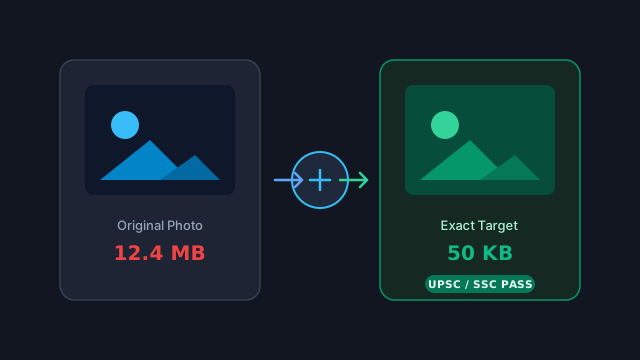
- —Official application portals enforce rigid file boundaries (e.g. 20KB-50KB for signatures, 50KB-100KB for passport photos).
- —EXIF camera metadata can consume up to 60KB alone; stripping EXIF often cuts file weight by 40% before touching visual pixels.
- —Binary search canvas compression converges on exact target sizes in under 3 iterations directly in client memory.
- —Zero server upload architecture guarantees sensitive ID cards and biometrics never land on third-party servers.
The Real-World Problem: The 20KB–50KB Portal Trap
If you have ever applied for a civil service exam (UPSC, SSC, IBPS), submitted a Schengen visa application, or uploaded identity verification to a banking portal, you have encountered the dreaded error: "File size must be between 20 KB and 50 KB, resolution 200x230 pixels."
Most standard photo editors offer vague quality sliders (e.g., 75%, 60%) that force users into a frustrating cycle of trial and error. Exporting at 60% yields 54 KB (rejected). Exporting at 50% drops to 17 KB (also rejected). Worse yet, users frequently turn to free web utilities that upload their passport photos, Aadhaar scans, and personal signatures to remote cloud servers.
Why Photos Are Unnecessarily Large: The Hidden Metadata Overhead
A high-resolution smartphone photo taken on an iPhone or Samsung Galaxy contains between 3MB and 15MB of data. Even when cropped tightly to passport dimensions (600x600 pixels), a naive JPEG export can easily stay above 120KB.
The primary hidden culprit is metadata. Modern cameras embed EXIF data: GPS coordinates of where you took the photo, camera serial number, shutter speed, embedded preview thumbnails (often 10KB to 40KB of uncompressed binary JPEG data inside the header), and color profiles (ICC profiles).
- •EXIF headers: Date, location, device model, and exposure parameters.
- •Embedded thumbnail: A low-res copy embedded inside the header for fast gallery previews.
- •ICC Color Profile: Embedded color management tables adding 4KB to 12KB.
- •Stripping these non-visual headers leaves only pure pixel quantization tables, immediately shedding up to 50KB.
How Client-Side Target Compression Actually Works
Rather than guessing quality factors, the God of Tools Image Compressor utilizes an in-memory binary search algorithm powered by the HTML5 Canvas 2D API. The entire pipeline executes locally on your CPU/GPU without transmitting a single byte over the wire.
When you specify a target of 50KB, the algorithm loads the image into a detached canvas, reads the original dimensions, and initializes a quality range [Q_min = 0.05, Q_max = 0.98]. It tests the midpoint Q = 0.51, measures the encoded Blob byte size, and bisects the search space until it hits the exact target threshold within a 2KB margin.
| Portal Requirement | Standard Dimension | Target File Size | Recommended Format |
|---|---|---|---|
| UPSC / SSC Photo | 200 x 230 px | 20 KB – 50 KB | JPG / JPEG (No EXIF) |
| UPSC / SSC Signature | 140 x 60 px | 10 KB – 20 KB | JPG / JPEG (Black & White) |
| US Visa / Passport | 600 x 600 px (2x2") | Under 240 KB | JPG (High Quality) |
| Banking KYC / Pan Card | 800 x 600 px | 50 KB – 100 KB | JPG or WebP |
Step-by-Step: Compressing to Exact Size in God of Tools
Follow these 3 steps to generate compliant documents in seconds without server uploads:
1. Open the Image Compressor tool and drop your photo or scanned document into the zone.
2. Toggle the "Target Size" mode and type your requirement (e.g. 50 KB). The engine will automatically strip EXIF metadata and compute the optimal JPEG quality matrix.
3. Review the instant side-by-side preview and click "Download". The entire operation completes in under 200 milliseconds.
Related In-Browser Tools
Zero-upload client-side utilities directly relevant to this guide.
Image Compressor
Compress images to target file sizes (e.g. 20 KB, 50 KB, 100 KB, 1 MB) or custom quality percentages with real-time optimization.
Image Resizer
Resize images to exact pixel dimensions, percentage scales, or social media & web presets with aspect ratio lock.
Image Converter
Convert images between JPG, PNG, WEBP, BMP, GIF, and TIFF formats with transparency preservation and zero server uploads.
Image Metadata
Inspect detailed EXIF, camera, lens, color profile, and GPS location metadata, or strip all metadata for privacy.
Frequently Asked Questions
Will compressing my photo to 20KB make it too blurry?
Not if you scale the dimensions appropriately. At 200x230 pixels, a 20KB JPEG has plenty of bitrate for crisp facial features and clear text.
Does God of Tools store my uploaded photos?
Never. God of Tools is built with a strict client-side architecture. Files are processed entirely in your web browser memory and wiped as soon as you close or reload the tab.
Can I compress multiple passport photos at the same time?
Yes. You can drop batch photos, apply uniform target sizes or quality presets, and download them bundled in an organized ZIP file.