
Summary & Key Takeaways
- —Legacy online PDF services upload complete document streams to remote cloud worker instances.
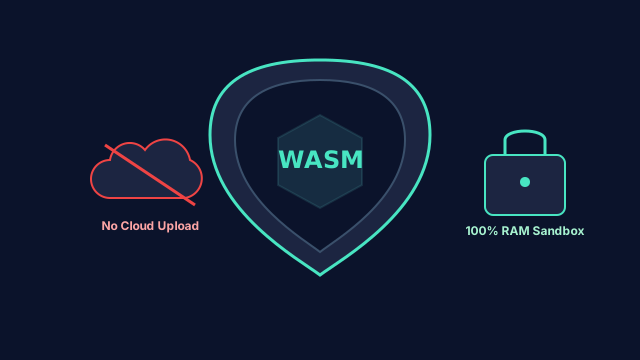
- —WebAssembly and PDF-lib execute PDF binary stream manipulation entirely inside local V8 memory.
- —Zero server upload architecture guarantees immunity from subpoena, cloud breach, and bucket misconfiguration risks.
- —Regulatory compliance (GDPR, HIPAA, DPDP Act) is natively satisfied because no personal data leaves the host boundary.
The Hidden Security Nightmare of Cloud PDF Converters
Every business day, millions of accountants, attorneys, HR managers, and healthcare professionals search for tools to "merge PDF" or "compress PDF". They drag and drop sensitive tax returns, confidential mergers-and-acquisitions agreements, patient summaries, and bank statements into online converters.
What happens behind the scenes on legacy websites? Your file is streamed over HTTPS to a multi-tenant backend server, saved into temporary disk storage or an AWS S3 bucket, processed by a headless backend tool (like Ghostscript or Poppler), and then served back via a temporary download URL. Even if the service claims to "delete files after 1 hour," your confidential data was placed on third-party infrastructure where it was susceptible to caching, disk forensics, and unauthorized employee access.
How WebAssembly and PDF-lib Shift Compute to the Edge
Modern web browsers are not just document renderers—they are high-performance virtual execution environments. By compiling native C/C++ libraries and high-performance JavaScript engines like PDF-lib and PDF.js into WebAssembly (WASM), we can perform arbitrary binary manipulation directly inside your browser.
When you load God of Tools, the client-side binary engine is delivered to your browser once. From that moment onward, your document never leaves your machine. Whether you are re-ordering 500 pages, extracting encrypted tables, or stripping embedded vector graphics, all compute cycles run on your local hardware.
- •Memory Sandboxing: The browser tab operates inside an isolated OS process; crashes cannot corrupt your host system.
- •Zero Latency Uploads: Processing 200MB PDFs takes seconds because there is zero network upload wait time.
- •Offline Capable: Once the page assets are cached, you can disconnect your Wi-Fi entirely and continue merging or compressing files.
- •Instant Garbage Collection: Closing the browser tab immediately deallocates the in-memory Blobs and ArrayBuffers.
Empirical Verification: How to Verify Zero Uploads in Chrome DevTools
At God of Tools, privacy is an engineering guarantee rather than a marketing promise. Any technical user can verify this in 30 seconds using standard developer tools:
1. Open Chrome DevTools by pressing F12 or Cmd+Option+I, and switch to the "Network" tab.
2. Filter by "Fetch/XHR" requests.
3. Drag a 50MB PDF into God of Tools PDF Compressor or PDF Merger and click Process.
4. Observe the Network log: You will see zero outbound POST/PUT requests carrying multipart file payloads. The network activity remains completely quiet while your document is compressed and prepared for download.
Recommended Workflows for Sensitive Documents
For corporate legal teams and finance departments, we recommend bookmarking client-side utilities:
• Use PDF Merger to assemble board decks, legal contracts, and annexures without external exposure.
• Use PDF Splitter to extract specific sensitive schedules before distributing to external parties.
• Use PDF Compressor to optimize file weights for email attachments while keeping DPI crisp.
Related In-Browser Tools
Zero-upload client-side utilities directly relevant to this guide.
PDF Compressor
Compress PDF documents to a specific target file size (e.g. 100 KB, 500 KB, 1 MB, 2 MB) or choose balanced structural presets.
PDF Merger
Combine multiple PDF documents into a single organized file with drag-and-drop page and file reordering.
PDF Splitter
Extract specific pages or page ranges (e.g. 1-3, 5, 8-10) into individual PDFs or a consolidated ZIP bundle.
PDF to Word
Extract text, paragraphs, headings, and structure from PDF files and export into an editable Microsoft Word (.docx) file.
Frequently Asked Questions
Can God of Tools process password-protected PDFs?
Yes. The decryption key is handled by the browser crypto engine directly in local memory. The password is never logged or sent to any remote server.
Is there a file size limit for client-side PDF processing?
Limits are dictated only by your device RAM. Modern desktop systems with 8GB+ RAM can easily handle documents exceeding 200MB and thousands of pages.
Does this work on mobile devices?
Yes. Modern mobile browsers (iOS Safari and Android Chrome) fully support the required WebAssembly and typed array primitives.